Which data and rankings can you lose when migrating to ikas, and how do you prevent it? Inventory, URL mapping, 301 redirects on ikas, source-platform notes, a launch-day plan and 90-day monitoring.
Short answer: Data and SEO loss is not inevitable when you migrate to ikas; when it happens, it usually comes from an unplanned migration, not from the platform. Product and customer data is moved with ikas's import tools, old addresses are connected to their new ones with 301 redirects in the Redirects section of the ikas panel, and this is finished before the domain is connected. Some data, such as customer passwords and order history, usually cannot be moved one-to-one; for these you plan communication and archiving in advance. In a well-run migration, a short fluctuation in the weeks after launch is normal; a permanent drop is not.
The official checklist ikas publishes for migrating from other platforms sums up the priorities in one sentence: "preserving your existing SEO value, transferring all product and customer data completely, and completing operational setups without interruption." The steps below break these three priorities into practical tasks, from the inventory to post-launch monitoring.
The assets at risk fall into two groups: the value you have built up in search engines (addresses, rankings, links, metadata) and your business data (customers, orders, reviews, campaigns, consents). Some are moved with ikas's tools, some are rebuilt, and some can only be archived. The table summarises why each item is at risk and what to do about it.
Asset
Why is it at risk?
How does it move to ikas?
Safeguard
URLs and rankings
The address pattern changes with the platform; if an old address returns "not found" (404), that page's ranking signal is cut off.
Not automatically; each old address is matched to a new one and a 301 is set up.
Build a URL mapping table and enter the redirects before the domain is connected.
Backlink value
Links from other sites point to the old address.
Passed on only through a 301.
Flag pages with external links in the inventory; ask site owners to update the most valuable links.
Images and alt text
Files sit on the old platform's server; the alt text field may have no counterpart in the import template.
Pulled from the image links in the product file; alt text is checked separately.
Do not close the old store before the import is finished; keep a local backup of the images.
Meta titles and descriptions
Without a matching template field, the original text is dropped and the page is left with a generic title.
Entered into the SEO fields for products, categories, brands and pages.
Record existing titles and descriptions in the inventory and re-enter them, starting with pages that get traffic.
Blog content
ikas's checklist describes adding posts through the Blogs section; no bulk blog import route is described.
Re-added post by post.
Archive posts with their images and internal links; set up 301s from the old addresses to the new ones under /blog/.
Product reviews
Reviews are often stored in a separate app or plugin.
No standard route is documented; it depends on your review solution.
Export the reviews, ask about portability in advance, archive them if they cannot be moved.
Customer accounts and passwords
Passwords are stored in irreversible form; they usually cannot be moved between platforms.
Customer records are imported with the CSV/Excel template; passwords are not.
Prepare a "please reset your password" message for launch day.
Order history
The ikas help centre does not describe a standard order import method.
Kept as a record and archive.
Export and keep all orders; clarify any custom solution before the migration.
Campaign and coupon setups
Each platform's discount rules work differently.
Rebuilt under Discounts > Campaigns.
List active codes with their conditions and expiry dates; test them before launch.
Tracking codes (GA4, Meta Pixel)
A new account cuts off past learning data and reporting continuity.
Connected through ikas's integrations with the existing IDs.
Connect your existing pixel and accounts instead of creating new ones (ikas's recommendation too).
Email subscription consents
The consent record (when and through which channel) can be lost in the export.
Moved with the customer or subscriber list; İYS records are checked separately.
Keep the consent date and source; send no commercial messages where consent is unclear.
What is the difference between data loss and SEO loss?
Data loss is mostly irreversible; SEO loss can usually be recovered, but slowly. Once the old panel is shut down, order, review and consent records that were never exported may be gone for good. A missing redirect can be added the day it is noticed, but the search engine takes time to re-evaluate the page, and meanwhile you lose traffic and revenue.
The practical conclusion: the data backup must exist before the migration starts, and the redirects that protect your SEO must be ready at launch. Ranking fluctuation for a few weeks after launch is normal; a sudden, lasting traffic drop, a 404 count that grows every week, or one page type vanishing from search are warning signs.
Which decisions should be made before the migration starts?
Six core decisions come first: whether the domain stays the same, how much the URL structure changes, which data is moved, whether the design changes, when the launch happens and who runs the project. If these change later, the mapping table, schedule and cost must be recalculated. So the output of the first meeting should be a written decision list, not a design mock-up.
Decision
Options
Effect on SEO and data
Domain
Keep the same domain / new domain
If it stays the same, only the paths change. If the domain changes too, Search Console's Change of Address tool comes into play and the risk grows considerably.
URL structure
Keep the old slugs / rename them
With kept slugs, mapping can be done by formula. ikas keeps products and categories at the root, so the prefix changes, but the last segment can stay the same.
Data scope
Active products only / full catalogue and archive
Products no longer on sale that still get traffic or links need a decision: republish, or redirect to the closest page?
Design
Ready-made theme / custom theme
A custom theme lengthens the schedule. Changes to the menu and category tree increase the number of redirects.
Timing
Quiet period / pre-season
In busy campaign periods, the cost of a few weeks of fluctuation multiplies.
Who does the work
In-house team / partner
Decides who provides the inventory and mapping discipline; details in the final section.
How many major changes should be made at the same time?
Every major change made at the same time makes it harder to find the cause when something goes wrong; if platform, domain, design and category structure all change on the same day, isolating the source of a traffic drop is almost impossible.
The safest order: move the platform first, preserve URLs and content as far as possible, and stabilise measurement; make large information-architecture changes a few weeks after launch, based on data. If you are planning a full redesign, the measurement and phasing advice in our website redesign guide makes the decision easier.
What should you check in your old platform contract?
The contract with your old platform directly shapes the migration's schedule and cost; on Turkish SaaS platforms, contracts are mostly annual and come with a commitment.
The end date and automatic renewal date.
The notice period and format required for termination (in writing, by email, through the panel).
Remaining instalments, and the split between the main licence and add-on services (theme, integrations, SMS package, support).
How long you can access the panel and data after the contract ends; your right to export.
Whose name the domain is registered in, and who can access DNS management.
If instalments remain, ikas's platform switching campaign (its own section below) may affect your choice of date. If you are weighing the decision alongside your growth plans, our e-book summarising market data provides background.
E-Book
Turkey
E-Commerce
Report
Free e-book
Turkey E-Commerce Report
Download this guide free, leave your email and get one step ahead in e-commerce.
How do you build an inventory of the old site?
The inventory is a table of every address on your old site that Google knows and your customers use, with its SEO fields and performance data; every other step of the migration rests on it. A store with an incomplete inventory goes live with incomplete redirects, so instead of relying on one source, combine several.
Which sources is the URL list collected from?
Google's site move guide also recommends building the mapping list from the sitemap, server logs, analytics and Search Console data. Each source adds different addresses:
Sitemap (sitemap.xml): The addresses the platform currently lists as live. A quick start, but it misses old, hidden or removed pages.
Crawler: A desktop or cloud crawler that moves through the site like a search engine, extracting every linked address with its status code, title and description.
Search Console Performance report: Pages with clicks and impressions. The tool keeps roughly the last 16 months, so it also catches seasonal pages.
Search Console Links report: Pages with external links. These are the first priority for redirects.
GA4 landing pages: Where organic, paid and email traffic enters the site.
Advertising and communication channels: Google Ads and Meta ad destination URLs, email templates, social media profile links, QR codes in catalogues and on packaging. These have no link on the site but still bring traffic.
Server logs (if you have access): Addresses Google crawls that appear on no other list; especially valuable for sites on their own server.
After merging the lists, remove duplicates so each address has a single row.
Which fields should be recorded in the crawl?
The crawl table is not just an address list; it is the source for every SEO field to be rebuilt in the new store. Recording the columns below means you will not need to go back to the old site.
Field
Why is it needed?
Full URL
The mapping key; it goes into the redirect file from here.
Status code (200, 301, 404)
Separates already redirected or broken addresses; stops old redirects from turning into chains.
Page type
Product, category, brand, blog, static, filter or search page: the type sets the mapping rule.
Meta title and description
The text to be re-entered into the SEO fields in ikas.
H1 and category text
Category descriptions in particular are the content most often forgotten in a migration.
Canonical
Separates the main page from its duplicates; duplicates need no separate mapping.
Indexability (noindex)
Avoids moving unimportant pages for nothing.
Incoming internal links
Shows which pages matter in the site architecture.
Organic clicks, impressions, external links
Sets the priority; picks the pages to check by hand.
If you want to collect these fields with a structured audit approach, the crawl settings in our technical SEO audit guide apply to a migration inventory too.
Which pages are handled first?
Not every address needs the same care; split the inventory into four priority tiers.
Priority 1: Pages with organic clicks, external links or revenue. Mapped one-to-one, tested individually on launch day.
Priority 2: All active product, category and brand pages. Mapped by rule, checked by sampling.
Priority 3: Discontinued products, finished campaigns, old content. Redirected to the closest current equivalent, or deliberately left alone.
Priority 4: Filter, sorting, internal search, cart and account pages. Most need no redirects.
If you are not sure which platform and plugins your site runs on (for example, if someone else built it years ago), take a quick first look with our e-commerce platform detection tool. Knowing the platform tells you where to look for export routes and URL patterns.
How do you back up the data in the old system?
All data on the old platform, whether or not it moves to ikas, should be exported before the old panel is shut down and stored somewhere under your control. The backup is not only the import source; it is the archive you will consult for months for returns, warranty, accounting and customer service questions, and the only safeguard for data that cannot be moved.
Data
Typical export format
Why keep it?
Products, variants, categories
CSV, Excel or XML
Import source and count comparison
Customers
CSV or Excel
Import and the password reset message
Orders (all statuses)
CSV or Excel; document printouts if needed
Returns, warranty, accounting and customer questions
Invoice and e-document records
The e-invoice integrator or accounting software
Continuity of financial records
Blog posts and static pages
Export file or page-by-page copy
Republishing and updating internal links
Images
Bulk download or server backup
Not lost when the old server shuts down
Product reviews
The review app's export
Re-import or archive
Coupons and campaigns
A list or screenshots
Rebuilding
Subscriber list and consent records
CSV (with consent date and source)
Proof of consent for commercial messages
Existing redirects on the old site
CSV or the panel list
Resolving chains
Tracking IDs and integration details
A notes file
Connecting the same accounts in the new panel
Which technical details corrupt data during export?
Exported files are often corrupted when opened in Excel, and the damage surfaces months later as an order or integration error. The three most common culprits:
Leading zeros: Barcodes, phone numbers and some SKUs lose their leading zero when converted to numbers; import these columns as "text".
Character encoding: Save files as UTF-8 so Turkish characters survive, and keep the delimiter consistent.
Multi-line fields: Descriptions containing HTML can shift because of line breaks; compare a few products with the source.
Where should the backup be kept, and for how long?
Keep the backup in at least two separate places (for example, a company cloud folder and a local disk), in date-stamped folders. Customer data is personal data, so restrict access to authorised people; a customer file circulating via a share link is the quietest risk of a migration.
Do not shut down the old panel straight away either; if possible, keep access for a while after launch. When an overlooked piece of data is needed, that is the only place to find it.
How do you prepare a URL mapping table?
The URL mapping table is the decision list showing which ikas address each old address will permanently redirect to; the bulk redirect file you upload to ikas is generated directly from it. Before mapping, you need to know how ikas builds addresses.
How are new addresses created in ikas?
In ikas, categories, products and brands sit directly under the root domain; custom pages are published under /pages/ and blog posts under /blog/. The slug is generated automatically from the page title in unaccented English characters, and it can be edited. The category hierarchy is not reflected in the address: a category in a "women / dresses / summer" tree, like a product, is a single segment right after the domain.
The example in ikas's own redirect article sums up the difference: /product/urun-linki (Turkish for "product link") in the old system becomes /urun-linki in ikas. One consequence of this flat structure is that slugs with the same name that lived side by side under different prefixes on the old site (for example, a word used as both a category and a brand name) can collide in ikas. Find addresses with the same last segment in the inventory in advance and decide which one gets which slug.
Which columns make up the mapping table?
Besides the two columns uploaded to ikas (old and new address), a good mapping table carries the reason for each decision and its test status. The rows below are hypothetical; your table will hold the real addresses from your inventory.
Old URL
Page type
New URL
Rule
Priority
Status
/product/linen-shirt-white
Product
/linen-shirt-white
One-to-one
1
Tested
/product-category/shirts
Category
/shirts
One-to-one
1
Tested
/urun/old-model-bag
Product (discontinued)
/bags
Closest category
3
Pending
/winter-outfits
Blog
/blog/winter-outfits
By prefix
2
Pending
/about-us
Static page
/pages/about-us
By prefix
2
Pending
/blog/size-chart
Blog
/blog/size-chart
Same address, no redirect needed
2
Check
The last row shows an important detail: if an address is identical on both platforms, no redirect is added; redirecting an address to itself creates a loop. Mark such rows "no redirect needed" and just check on launch day that they open.
Which rules apply to the mapping?
The rules are simple, but each prevents a particular kind of loss; every row in the table should follow them:
Map one-to-one. A product goes to the same product, a category to the same category, a post to the same post.
Send anything without an equivalent to the closest page. A discontinued product redirects to its replacement model or the closest subcategory; Google does not recommend funnelling many pages to the homepage. A page with no traffic, no links and no equivalent returning "not found" is normal.
Do not build chains. Connect addresses already redirected on the old platform straight to their final ikas address; an old → intermediate → new chain slows things down and can lose value.
Consolidate variant addresses into the main product. If the old system created separate addresses for colour or size, redirect them all to the main product in ikas.
Do not map parameterised addresses one by one. Sorting, pagination and filter addresses (with a question mark) usually need no redirects; if an important one gets traffic, test a few examples first.
Handle spelling variants separately. Upper and lower case, trailing slashes and Turkish-character differences can give one page several addresses. Keep the variants that actually get traffic as separate rows.
Keep slugs where possible. If the ikas product gets exactly the old slug, the new address follows the formula "last segment of the old address" and the margin for error drops.
How can the mapping be done quickly?
Thousands of rows are mapped not by hand but by formula over a shared key; ikas itself recommends exporting product, category and brand spreadsheets with slugs from both the old platform and ikas and matching them. For products the most reliable key is the SKU or barcode, because names and slugs can change in the migration.
Export the product list from the old system with SKU and old URL columns.
Once the products are in ikas, export the ikas product list with SKU and slug columns.
Join the two lists on SKU (for example with VLOOKUP or XLOOKUP, called DÜŞEYARA and ÇAPRAZARA in Turkish Excel) and build the new URL as "/" + slug.
Move unmatched rows to a separate tab; these are products with a changed SKU, deleted products or duplicates.
Match categories and brands by name, and blog posts and static pages by hand from the inventory.
Use the crawler's list mode to verify that every new URL in the finished table actually opens on ikas (a 200 response).
As a final check, ask three questions of the table: Does any old address appear twice? Does a target appear as a source in another row (a chain)? How many targets are the homepage? All three answers should be "no" or "very few".
A URL mapping table links every old page to a single new page; the goal is for the traffic graph to continue unbroken after the migration.
How do you set up 301 redirects in ikas, step by step?
In ikas, 301 redirects are added in the Redirects area under Sales Channels > [Sales Channel] > SEO and Domain, one by one or in bulk with an Excel/CSV file. (Panel labels are given in English here; a Turkish-language panel shows their Turkish names.) ikas's migration checklist singles out this step: "For SEO continuity during platform migrations, the most critical step is 301 redirects." You reach the screen with the "Edit Redirects" button next to the Redirects row.
When should the redirects be entered?
Before the domain is connected to ikas; ikas's help article stresses that redirecting all old URLs to their new ikas addresses with a 301 before connecting the domain is very important for SEO. That requires all products, categories and pages to exist in ikas first, with their slugs finalised.
The moment the domain is connected, Google and visitors start requesting the old addresses through ikas; without redirects, every request gets "not found". The correct order: content and catalogue completed → slugs frozen → mapping table finished → redirects uploaded → targets checked on the temporary store address → domain connected.
How do you add a single redirect?
For a few addresses (5 to 10 URLs, as ikas puts it), adding them one by one is fastest:
Go to Sales Channels > [Sales Channel] > SEO and Domain and click "Edit Redirects" in the Redirects area.
Select "Add Redirect".
In the old URL field, enter only the path, without the domain, starting with "/" (for example /old-product-name).
In the new URL field, enter the ikas path (for example /new-product-name). For a redirect to the homepage, ikas specifies the full address.
Leave the "302 Redirect" toggle off; off means the redirect is permanent (301).
Save and confirm the row appears in the list.
How do you prepare a bulk redirect file?
For hundreds or thousands of addresses, ikas recommends a bulk Excel/CSV upload; the template is downloaded with "Export" on the same screen. Its columns and how to fill them (Turkish headers of a Turkish-language template in parentheses):
Column
What to enter
Example
ID
Left blank for new rows.
(blank)
Source address (Kaynak Adres)
The old path, starting with "/", without the domain.
/product/linen-shirt-white
Target address (Yönlendirilecek Adres)
The new path in ikas.
/linen-shirt-white
Temporary redirect (302) (Geçici Yönlendirme)
FALSE for a permanent (301) redirect.
FALSE
Deleted? (Silindi mi?)
FALSE for new and active rows.
FALSE
The file is uploaded with "Import" on the same screen. If any rows contain errors, ikas sends you an error file; you fix them and re-upload only those rows. These checks before uploading save time on error files:
No domain, "https://" or spaces left in the source addresses.
No source address appears twice; with two different targets, it is unclear which applies.
No target appears as a source in another row; that means a chain or loop.
Save as UTF-8; splitting very large lists by page type makes errors easier to find.
Should you use 301 or 302?
301 is the standard choice in a platform migration, because it signals a permanent move; Google also recommends permanent redirects (301 or 308) for site moves. A 302 is only for a page that will genuinely return (for example, a seasonal campaign page that will reopen). Google recommends keeping migration redirects for at least a year; in practice nothing is gained by removing them.
What are the limits of redirects in ikas?
The ikas redirect tool covers most migrations, but a few limits should be flagged in the inventory beforehand.
Slugs with special characters: ikas's English help article states that slugs with special characters have no SEO value, so no redirect is needed and the panel does not support them. If addresses on your old site containing the Turkish letters ç, ş, ğ, ı, ö or ü are indexed and get traffic or links, flag them in the inventory and settle your options before the migration.
Parameterised addresses: Test with a few examples how the redirect tool handles old addresses with a question mark; if none are important, leave them off the list entirely.
Domain change: ikas redirects handle requests to the domain connected to ikas. If you are moving to a new domain, plan separately which server or service will redirect requests for the old domain to the new addresses.
What should you watch for depending on the source platform?
Each source platform has its own export route and URL pattern, but the reliable method is the same everywhere: crawl your own site for the real addresses and work from a list, not assumptions. Even on one platform, the address structure can vary with theme, plugins and settings. The table gives only patterns verifiable from documentation; for anything else, the only reliable source is your crawl list.
Source
Data export route
Known about the URL pattern
Shortcut on the ikas side
Shopify
Product and customer CSV from the admin
Products and collections on the fixed paths /products/ and /collections/ (Shopify documentation)
Settings > Store Migration Settings > Shopify; CSV converter
WooCommerce
WooCommerce product export, WordPress export tool; customers and orders often need an extra plugin
By default products under /product/, categories under /product-category/; the permalink setting may have been changed
Import from file
IdeaSoft
The panel's export options
Product addresses take the form /urun/… (IdeaSoft's 301 help page)
Import from file
Ticimax
The panel's export options, data handover under the contract
We give no general pattern; crawl your site
Import from file
T-Soft
The panel's export options, data handover under the contract
We give no general pattern; crawl your site
Import from file
OpenCart and custom software
Admin panel or direct database access
Depends on the SEO URL setting and installation; crawl your site
Import from file
Wix, Shopier
ikas's migration guides
Crawl your site
ikas's relevant guide
Trendyol, Hepsiburada
Marketplace app
No own site means no redirects needed
Product import and matching
How do you move from Shopify to ikas?
There are two ways to move products and customers from Shopify: a direct transfer through ikas's Shopify connection, or uploading CSV files converted to the ikas template. Both leave orders out of scope, so export your order archive separately.
Direct transfer: According to ikas's help article, you create an app in the Shopify Dev Dashboard with read-only permissions only (read_customers, read_product_feeds, read_product_listings, read_products). In this process ikas does not perform "any operation that creates, modifies or deletes an order" in your Shopify store. In the ikas panel, you then enter the store name, Client ID and Secret under Settings > Store Migration Settings > Shopify, select customers and/or products, and click "Import".
CSV transfer: You export product and customer lists from the Shopify admin as CSV. Shopify's column layout differs from ikas's import template, so the files need converting. Alis Digital's free Shopify-to-ikas CSV converter does this in the browser:
It maps product groups and variants, variant types and values, SKU, barcode, slug and stock to the ikas columns.
It puts Shopify's compare-at price into ikas's Sale Price and the actual price into Discounted Price.
It converts customer phone numbers to the +90 format and warns about missing fields.
Limits: desi (the volumetric-weight unit Turkish carriers bill by) stays blank, at most 10 images per product are transferred, and customer addresses and order history are not transferred.
Image links point to the old Shopify store's server, so finish the import before closing the Shopify store.
Free ToolShopify ↔ ikas Migration Tool
Conversion direction
What do you want to convert?
Shopify → ikas · Export your Shopify file via the “Export” button on the relevant page (plain CSV).
On the URL side, Shopify's fixed paths help: /products/product-name becomes /product-name on ikas, and /collections/category-name becomes /category-name. If the crawl finds secondary product addresses opened via a collection path, map the canonical addresses first. If you have not yet weighed the two platforms' payment and cost differences, our page putting ikas and Shopify side by side focuses on that decision.
What should you watch for when moving from WooCommerce to ikas?
The biggest job in a WooCommerce migration is WordPress's accumulated content: blog posts, static pages and plugin-stored SEO fields take more time than the products. WooCommerce's default pattern is /product/ for products and /product-category/ for categories, but many sites have changed it; check Settings > Permalinks in the WordPress admin and crawl your site in any case.
Products: WooCommerce's product export produces a CSV, which is adapted to the ikas template. Customers and orders usually need an export plugin or database access.
Blog and pages: WordPress's Tools > Export backs up the posts. Posts often sit at the root; in ikas they move under /blog/, so every post is a redirect row.
SEO plugin fields: Meta titles and descriptions usually live in the SEO plugin's fields, not in the product CSV; take them from the crawl output.
Trailing slash: WordPress addresses usually end with "/"; test how redirects handle this with a few examples.
What is different when moving from Ticimax, IdeaSoft and T-Soft?
With Turkish SaaS platforms, what decides things is not the technology but the contract and data handover: contracts are mostly annual with a commitment, and export scope varies by panel. So before starting, find out in writing from your provider which data you can get and in what format.
IdeaSoft: IdeaSoft's own 301 help page shows product addresses as /urun/… ("urun" is Turkish for "product"). ikas drops the prefix, so if product slugs are kept, mapping can be done by formula; verify category and page addresses by crawling.
Ticimax: We found no verified source for the default URL pattern; do not map by guesswork. Extract the real addresses from the sitemap, a crawler and Search Console.
T-Soft: Same approach: crawl first, then map. A product XML or marketplace feed in the panel can serve as a supporting source for product data.
Shared risk: Marketplace integrations often run from the old panel. Shutting the old integration down before matching is complete in ikas cuts off the stock and order flow; the sequence is in the marketplace section below.
What is different when moving from OpenCart or custom software?
With self-hosted open-source systems such as OpenCart, and with custom software, the data is entirely in your own database: both an advantage and a responsibility. Exporting often requires a developer to extract the product, customer and order tables from the database in a format that fits the ikas template.
Depending on the SEO URL setting, addresses may use meaningful words or parameters; crawl to see which are indexed.
If you have server log access, complete the inventory with it.
The images are on your server; back up the whole image folder before the server is shut down.
List plugin-added features (quote form, dealer pricing, custom shipping rule) and find each one's ikas equivalent before the migration.
What do you do if you are coming from Wix, Shopier or a marketplace?
For Wix and Shopier (a Turkish social-selling platform), the ikas help centre has product migration guides; for a site coming from Wix, SEO is still handled with crawling, mapping and 301s. A business that has sold only on the Turkish marketplaces Trendyol or Hepsiburada and is opening its first own site has no search history to move; for this case, ikas's migration checklist lists product import and matching steps.
How do you protect products, variants, images and marketplace matches?
In a catalogue migration, losses usually hide in the details, not the product itself: when variant breakdowns, SKU and barcode, image order, desi and price fields are mapped wrongly, the store opens but orders, shipping and integrations stumble. ikas allows bulk product import from a file, creating categories and brands automatically along the way. Product types are simple, variant and bundle; stock and price are managed per variant.
Field
Common problem
How to check
Variant type and value
The colour-size breakdown splits into separate products or collapses into one variant.
Compare old and new variant counts per product.
SKU and barcode
Excel strips leading zeros and turns long numbers into scientific notation.
Format the column as text; compare 20 random products with the source.
Price and discounted price
List and sale price are swapped; products look discounted when they are not.
Add sample products to the cart and check the total.
Stock
Products sold on the old site after the transfer are not deducted from the new stock.
Run a final delta transfer and stock count on launch day.
Images
Images that cannot be pulled from the old server, lose their order or exceed the limit.
Check the image count per product and the first (main) image.
Desi and weight
Left blank in the template; shipping fees are miscalculated.
Place test orders with products of different sizes.
Category tree
Subcategories flatten; products land in the wrong category.
Compare product counts per category with the old site.
Product description
HTML breaks; internal links in descriptions point to old addresses.
Search descriptions for the old domain and paths and replace them.
How do you verify that the transfer is complete?
The quickest proof is a count comparison: ikas should show the same numbers of products, variants, categories and brands as the old panel. If they do not match, find the difference via the SKU list; it usually comes down to duplicate SKUs, empty mandatory fields or characters the template cannot take.
After the count, take your 20 best-selling products, the 10 with the most variants and 20 random ones, and compare title, price, stock, variants, images and description with the source. This short exercise catches most of the errors a customer would notice.
Why are images a separate risk item?
During import, images are pulled from the links in the file, that is, from the old platform's server; if the old store is closed, those images stay empty. So do not close the old store until the image transfer has been checked. ikas says it resizes images and converts them to WebP; even so, shrinking very large files to a reasonable size and keeping file names meaningful helps speed and image search.
How do you migrate while a marketplace integration is live?
The biggest risk is both systems sending stock at once, or neither; the result is double-deducted stock, orders arriving with negative stock, or missed orders. There is one rule: at any moment, only one system sends stock and prices to the marketplace.
In ikas's Trendyol app, products with the same barcode match automatically; in the Amazon app, automatic matching needs the same SKU on Amazon and in ikas. ikas also warns that if you close the Trendyol sales channel after products are matched, your Trendyol stock is reset to zero. The safe sequence:
Verify that barcodes and SKUs in ikas are identical to the old system.
Install the marketplace app from the ikas App Store and match the products; ikas lets you switch off price and stock sending to Trendyol separately, so you can keep sending off at first.
List unmatched products and match them by hand.
Stop stock and price sending in the old integrator.
Switch on stock and price sending in ikas; check a few products' marketplace stock.
Once the next order arrives in ikas, shut down the old integration.
Make the switch during low-sales hours and send no bulk price changes to the marketplace meanwhile. App setup, matching options and price lists are covered step by step in our article on Trendyol and Hepsiburada integration.
How are customer accounts, passwords and subscription consents moved?
Customer records can be moved with ikas's customer CSV/Excel template, but passwords usually cannot move between platforms; the real job on the customer side is to explain, at the right time and in plain language, that the account has moved and a new password is needed. For security, passwords are stored in irreversible form (hashed), and each platform does this its own way. So the new platform cannot verify the old password; the customer sets a new one at first login.
How do you prepare the customer list before importing it?
Cleaning the list before import keeps the old system's mess out of the new store:
Remove test accounts, trial sign-ups and duplicate accounts opened with the same email.
Bring phone numbers into one format (for example, starting with +90); split first and last names into separate columns.
Keep marketing consent columns (email, SMS) and consent dates separate.
How do you plan the password reset message?
The password reset message goes out on launch day or the day after and fits into one message: the store has been renewed, your account and details are still there, and at first login set a new password with "Forgot my password". It is a service notification; add no campaign or discount. Since it also reaches customers without commercial-message consent, keeping it plain is both safer and more credible.
Sample text: "Our store has moved to a new platform. Your account and details are still here. For your security, old passwords were not transferred; the first time you log in, you can set a new password in a few seconds with the 'Forgot my password' link."
Prepare and approve the message before launch; write a short canned reply with the same content for customer service.
Add a short note with the same information above the login page, so customers who miss the email also understand.
Make sure reset emails are sent from your own domain. In ikas this means adding DNS records under Settings > Email Domain Settings; without them, reset emails may land in spam.
In the first week, count "the reset email never arrives" and "I have no account" complaints separately; the second signals records dropped during import.
Why are subscription consents and İYS handled separately?
Consent for commercial email and SMS is a legal record separate from the customer record; losing it in a migration means either the risk of messaging without consent or losing customers who did consent. In Turkey, consents for commercial electronic messages are expected to be registered in the Message Management System (İleti Yönetim Sistemi, İYS); ikas has a NetIYS integration.
Export the subscriber list with consent status, date and source (for example, the sign-up form or checkout page).
Do not import people whose consent is unclear or unprovable as "subscribers"; contact them through a fresh opt-in flow.
Before launch, check that your İYS records are current and that the new platform's consent flow talks to İYS.
Check whether your privacy notice covers transferring personal data to a new service provider; if needed, update it with our KVKK privacy notice generator (KVKK is Turkey's Personal Data Protection Law).
After the migration, you need to rebuild your email automations (welcome, abandoned cart, repeat purchase) in ikas; for the logic of the flows, see our guide to email marketing and automation.
What happens to addresses, balances and loyalty points?
Customer addresses, gift card balances and loyalty points have no counterpart in most migration templates; files made from Shopify with the CSV converter do not carry addresses either. Pull a separate list of customers with balances or points and plan their ikas equivalent (for example, a personal discount code matching the balance); these are usually your most loyal customers.
What happens to order history, product reviews and campaigns?
Order history, product reviews and campaign setups are the three data groups most often assumed to "come across anyway" and only found missing later. How each moves to ikas, or how it is kept, should be agreed in writing before launch.
Can order history be transferred to ikas?
The ikas help centre does not describe a standard order import method; ikas's official migration checklist lists product and customer transfer, and the Shopify connection's permissions do not include orders either. The safest approach is to export the complete order history from the old system and keep it as a record and archive.
What to keep: Order number, date, customer, line items, amounts, payment method, shipping and return status, invoice number.
Who uses it: Customer service for returns and warranty, accounting for period-end closing, marketing for segment and campaign planning.
What the customer sees: Old orders may not appear in their new store account. Adding "for questions about your past orders, write to us" to the password reset message reduces complaints.
Special needs: If old orders must be visible inside ikas (for dealer reorders, long warranty tracking or subscriptions, say), settle in writing with ikas or your partner, before the migration, which method can be used and how far. Do not proceed on assumptions.
How are product reviews preserved?
Whether reviews can be moved depends on your old site's review tool and the review solution you choose in ikas, so decide after testing, before the migration. Reviews are social proof that drives purchases and, in some stores, the source of the structured data that shows ratings in search results.
Export reviews with product ID (SKU preferred), rating, text, date and reviewer name.
Ask in advance whether your ikas review solution (the product review flow in ikas's automations, or an App Store app) can import external reviews.
If it can, trial a few products and check that reviews land on the right product.
If not, archive the reviews and switch on a review collection automation soon after launch.
Pasting reviews into the product description as text, or re-entering them under new accounts, is wrong: it misleads customers and carries risk under consumer protection law.
How are campaign and coupon setups rebuilt?
Campaigns and coupons do not move between platforms; they are rebuilt in ikas, because each platform's discount rules follow a different logic. The real risk is codes customers hold that do not work on the new site: influencer codes, codes in printed catalogues and on packaging, personal codes sent by email automations.
Pull a list of active codes from the old system with code, discount type, amount or percentage, minimum cart value, eligible products and categories, usage limit and expiry date. Then build each setup in ikas using this mapping:
Old setup
Where to set it up in ikas
Test
Discount code (coupon)
Discounts > Campaigns (discount with a code)
Try the code in the cart; see it rejected below the minimum.
Automatic cart discount
Discounts > Campaigns (automatic cart discount)
Create two carts, one meeting the condition and one not.
Try two orders, just below and just above the threshold.
Abandoned cart reminder
Sales Channels > [Sales Channel] > Automations
Abandon a cart with a test account and see the message arrive.
Back-in-stock notification
Sales Channels > [Sales Channel] > Automations
Sign up for an out-of-stock test product, then add stock.
Bank transfer (havale/EFT) payment reminder
Sales Channels > [Sales Channel] > Automations
Place a test order paid by bank transfer.
Recreating distributed, unexpired codes in ikas under the same code prevents most of the "my code doesn't work" messages after launch.
How do you preserve the blog, pages, metadata and structured data?
Per ikas's checklist, blog posts and custom pages are moved by adding them in the relevant panel sections; meta titles, descriptions and alt text are preserved by re-entering them from the inventory into ikas's SEO fields. Because this content is often handled item by item, it is the most underestimated line in the schedule.
How are blog posts moved?
According to ikas's migration checklist, blog posts are added under Sales Channels > [Your Sales Channel] > Blogs and published under /blog/. With many posts, start with those that get traffic and links; treat whether to move little-read old posts as a separate content decision, and do not try to prune on migration day.
Text is transferred with its subheading hierarchy (H2, H3), lists and tables intact.
In-post images are re-uploaded to ikas; linking to images on the old server means broken images once it shuts down.
In-post links are updated to the new addresses, and the inventory's title and description go into the SEO field.
A 301 is added from the old post address to the new /blog/ address.
Where do custom pages and legal texts go?
Custom pages such as About us, Contact and Size chart are published under /pages/ in ikas; they are created in the theme editor with Create New Page > Custom Page and linked to the menu. Legal texts have two homes: agreements shown at checkout and sent by email go into Settings > Agreements; those that must appear as separate pages on the site (for example, the distance sales contract) are created as custom pages.
The theme warning in ikas's migration checklist applies here too: review every page in the theme one by one, as components left over from drafts and sample content can break the layout.
How are meta titles, descriptions and alt text re-entered?
In ikas, meta titles and descriptions go into separate SEO fields per page type; the text recorded in your inventory is entered there, starting with pages that get traffic. ikas writes the page title into the meta title automatically, so the field is never empty; but you get the bare product name instead of an original, click-worthy title.
Page type
SEO field in ikas
Product
Products > Products > Product Detail Page > SEO section
Category and brand
Products > Definitions > Category / Brand > SEO section
Theme pages (homepage, custom pages)
Sales Channels > [Sales Channel] > My Themes > Theme Editor > SEO section
Social sharing preview
SEO and Visual Preview section (og:title, og:description, og:image)
ikas recommends about 580 pixels for the title (roughly 55 to 60 characters) and about 920 pixels for the description (roughly 140 to 160 characters). To fill fields that were missing on the old site, our meta title and description generator speeds up drafting. Alt text for theme images is entered via the pencil icon on the image in the theme editor; for product images, check the alt text field in your panel and fill it at least for the main images.
Are structured data and canonicals lost in a migration?
Structured data added on the old site by plugin or by hand does not carry over; in ikas the theme generates structured data, and custom schema types you added by hand will not appear on the new site by themselves. So note before the migration which schema types the old site's important pages carry, and check the same pages on the new site with Google's Rich Results Test.
In the ikas stores we examined, product pages carried Product, Offer, Brand and BreadcrumbList markup; category pages CollectionPage, ItemList and BreadcrumbList; the homepage Store and WebSite markup, plus a canonical tag pointing to the page itself. This is an observation; ikas's documentation describes no panel field for editing schema or canonicals by hand. What each schema type does is explained in our structured data guide, and what ikas handles as a platform on the SEO side in our article examining how SEO-friendly ikas is.
How do you connect GA4, Meta Pixel and ad accounts without interruption?
The rule for tracking codes is simple: open no new accounts; connect your existing GA4 property, Meta Pixel and ad accounts to ikas. That is also the tip in ikas's migration checklist: "Instead of creating a new pixel/account, connect your existing pixels and accounts; this way your past learning/optimisation data is preserved." A new GA4 property, by contrast, makes a before-and-after comparison impossible. The ikas help centre has integration articles for GA4, Google Tag Manager, Meta Pixel and the Conversions API, TikTok Pixel and Google Ads.
Tool
Check on the old site
Do in ikas
Post-launch test
GA4
Measurement ID, events marked as key events, linked Google Ads account
Connect the same measurement ID
Page view and purchase events in the Realtime report
Google Tag Manager
Tags in the container, triggers specific to the old platform
Connect the same container, review old-platform-specific triggers
Tags firing in Preview mode
Meta Pixel and Conversions API
Pixel ID, custom conversions, URL-based audiences
Connect the same pixel and the Conversions API
Test events in Events Manager, double-counting check
Add the catalogue link from Sales Channel > Add-ons
Disapproved products in feed diagnostics
TikTok Pixel
Pixel ID
Connect the same pixel
Event test
Where does measurement break most often in a migration?
Measurement usually breaks not because code is missing but because address and event definitions change:
URL-based definitions: Custom conversions like "count a sale if the thank-you page address contains this" and URL-based audiences fail with the new pattern; update them to the real ikas addresses.
Double counting: If ikas's built-in integration and Tag Manager both send the same purchase event, sales count twice; each event should come from one source.
Ad destination URLs: Even if the redirect works, change ad destinations to the new address; an intermediate redirect slows loading.
Date annotation: Note the launch date in your GA4 and advertising reports.
What does ikas's platform switching campaign cover?
ikas's platform switching campaign promises to cover the remaining instalments of your licence contract with your previous platform from the date you move; add-on service and plugin fees are excluded. It is announced on the ikas website under the heading "Büyük Göç" (the Great Migration), with details on the platform switch campaign page, which says: "The remaining instalments of your licence contract with your previous platform are covered by ikas from the date you move your platform."
The same page draws the line clearly: "payments such as customer service and plugin fees are not within the scope of the commitment." The FAQ on the ikas homepage, however, uses broader wording ("ikas covers your cancellation fee or your remaining payments"). What is covered in your case depends on the current terms and written confirmation.
Item
Covered by the campaign?
What should you do?
Remaining instalments of the main licence contract
Yes per the campaign page, subject to conditions
Prepare your contract and instalment plan; confirm the application requirements with ikas.
Customer service, plugin fees
No, per the campaign page
Keep these separate in your calculation.
Cancellation or early termination fee
The homepage FAQ uses broad wording; the campaign page says "remaining instalments"
Ask in writing whether it applies to you.
Theme, design, agency and migration labour
Not mentioned in the campaign text
Budget for them as excluded.
What should you prepare to benefit from the campaign?
Campaign terms can change from period to period, so check the current terms on ikas's campaign page before applying and get written confirmation on the key points. Most of the preparation is information you gathered in the contract check:
A copy of the old contract, the remaining instalment plan and related invoices.
The split between the main licence fee and add-on services (theme, integrations, SMS, support packages).
The campaign text describes a payment subsidy; it says nothing about the migration itself, meaning the inventory, mapping, redirect and testing work. Rather than squeezing the schedule to fit campaign dates, choose a launch date that leaves time to do the migration properly.
What stages does the migration process have, and how long does it take?
An ikas migration typically has six stages: discovery and inventory; setup and data transfer; theme and content; payment, shipping and integrations; redirects and testing; launch and monitoring. The total ranges from a few business days to a few weeks, depending on store size and external approvals. In its FAQ, ikas states that a migration can be completed within 12 business days on average, varying with integration requirements and payment provider application processes; read that as an average, not your schedule.
Stage
What is done?
Relative duration
Output
1. Discovery and inventory
Crawl, data export, decision list, contract check
Short; longer for sites with many pages
Inventory table and backups
2. Setup and data transfer
ikas account and package, product and customer import, count check
Grows with product count and variant complexity
A catalogue whose counts match
3. Theme and content
Theme, menu, custom pages, blog, SEO fields, legal texts
Days with a ready-made theme, weeks with a custom one
Depends on external approvals; often the longest item
A tested payment and shipping flow
5. Redirects and testing
Mapping, 301 upload, test orders, mobile check
Short but intensive, once content is done
Approved redirect file and test report
6. Launch and monitoring
Domain connection, Search Console, monitoring for the first 90 days
Launch takes a day; monitoring takes weeks
Weekly monitoring notes
Which tasks should be started right at the beginning?
The tasks that stretch the schedule most are those outside your control, waiting on external approval; start them on day one and run them in parallel. ikas states that payment systems usually take 1 to 7 business days to activate; missing documents lengthen this.
Virtual POS application: Prepare documents such as the tax certificate and signature circular (the notarised list of authorised signatories) from the start; you cannot launch until payments are on.
E-invoice integrator: ikas runs e-invoicing through integrators (for example Paraşüt, Sovos Foriba, EDM Bilişim, QNB e-Finans); you first sign a separate agreement with the integrator, then activate it in the panel.
Marketplace API details: Collect the keys and permissions from the seller panels in advance.
Domain and DNS access: Have the password for the domain registrar account and DNS management rights before launch day.
The panel-side setup steps (seller settings, tax, theme, agreements) are explained in order in our ikas setup guide; in a migration they fit inside the second and third stages.
What makes it take longer?
Complexity sets the migration time more than product count. Thousands of addresses needing manual mapping, multiple languages via localisation, a custom theme, ERP integration, multi-level variants, a payment application delayed by missing documents and late approvals all add noticeable time.
Alis Digital's migration to ikas service follows a similar flow: analysis and planning, migration and setup, testing and verification, launch and follow-up; the table above is a more detailed breakdown of those steps.
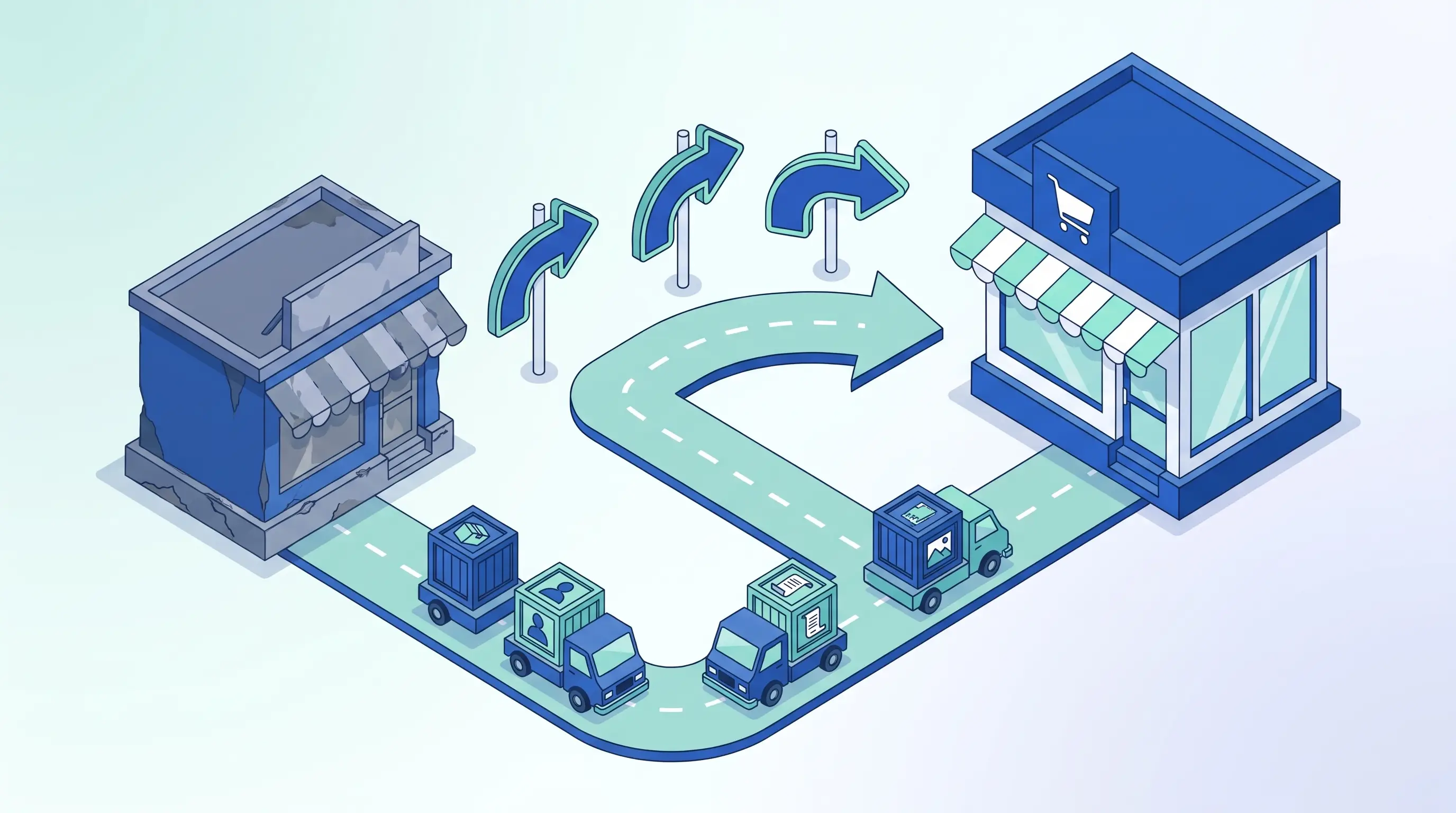
As product, customer, order and image data move to the new store, redirects take visitors and search engines from the old address to the new one.
How do you plan launch day?
Launch day is when the domain is connected to ikas, and it should be a rehearsed script, not a surprise: data is frozen, final deltas are transferred, redirects are ready, DNS is changed, and payment, orders and measurement are tested in the first hours. Choose the quietest day and time; stay away from campaign periods and the run-up to public holidays.
What should be completed in the week before launch?
The week before launch is for freezing and verifying what exists, not adding anything new. By its end, every item below should be "done":
Catalogue and content are frozen; all redirects are uploaded and the targets verified to open on the temporary store address.
Test orders have been placed by card and, where offered, by bank transfer (havale/EFT) and cash on delivery; notification emails and mobile checkout have been checked.
You have the domain panel login and a screenshot of the current DNS records (for rollback).
Customer service has been briefed, with canned replies on password resets and old orders.
It is confirmed that the old platform contract will not end on launch day and will stay open for a while in case of rollback.
What do you do on launch day, step by step?
Launch day tasks are sequential; do not move on until the current step is complete. The flow is written for a typical store; timings vary.
Order
Task
Check
1
Close the checkout step on the old site or note the last order number; show visitors a short "our store is being renewed" notice.
Last order number recorded
2
Transfer the final delta: orders since the last export, new customers, stock changes.
Product and customer counts match
3
Enter the domain (without www) via Sales Channels > [Sales Channel] > SEO and Domain > "Edit Domain"; add the DNS records the panel shows to your domain panel and click "Verify".
Verification complete
4
Wait for DNS propagation; according to ikas, this can take 4 to 48 hours. Meanwhile some visitors may still see the old site.
The domain opens the ikas store
5
Check the secure connection (SSL) and that www and non-www go to the same address.
Padlock in the browser, a single address
6
Test all priority 1 addresses, and a sample of the rest, with the crawler's list mode.
Every old address a single-hop 301, target 200
7
Place a real test order on the live domain and refund it.
Order in the panel, emails arriving
8
Check the GA4 Realtime report and test events in Meta Events Manager.
Page view and purchase events visible
9
Submit the sitemap to Search Console.
Status "Success"
10
Hand marketplace stock sending over from the old system to ikas.
Marketplace stock correct
11
At the end of the day, send customers the password reset notification.
Delivery report
If the old site keeps taking orders while DNS propagates, orders land in two systems. The cleanest fix is to close checkout on the old site during propagation; if you cannot, check orders in the old system hour by hour and enter them into ikas by hand. Also, if you first built the store on ikas's free Start package and then moved to a paid package, ikas says the DNS records change; on launch day, use the current records shown in the panel.
What is the rollback plan if something goes wrong?
For a critical problem that cannot be solved on launch day (for example, no payments can be taken at all), the rollback plan is to point the domain back to the old records and temporarily reopen the old site. This requires the old platform contract to be still active and the old DNS records to have been saved. Write down in advance when you will roll back (for example, "if payments cannot be switched on within a set time"); decide against that criterion, not in a moment of panic.
Minor issues (one page's look, a few missing redirects, an email template) are no reason to roll back; they go on the post-launch fix list.
What should you monitor in the first 90 days after launch?
The 90 days after launch are when gaps in the redirect map and overlooked details surface; Search Console, analytics and order data are reviewed weekly with the same question: has a page disappeared, is an address broken, is a page type dropping? Google states that on a medium-sized site, new addresses can take a few weeks or longer to settle in search.
What do you do in Search Console on day one?
The day-one job in Search Console is to show Google the new structure and speed up crawling of your most important pages. If the domain is unchanged, your existing property and its history carry on as before.
Check the property: If possible, use a DNS-verified Domain property; www, non-www and all subpaths are gathered in one property.
Submit the sitemap: ikas generates and updates the sitemap automatically at yourdomain.com/sitemap.xml. Submit it in Search Console under Indexing > Sitemaps.
Consider the old sitemap: Google says old and new sitemaps can be used together for a while; but the old sitemap's address will not work on ikas, so track the old addresses yourself with a crawler.
Check robots.txt: ikas creates robots.txt automatically; the default rules block admin, cart, checkout and account paths and include a sitemap line. If your old site had custom rules, review them under Sales Channels > [Sales Channel] > SEO and Domain > "Edit Robots.txt". ikas states that it does not advise on robots.txt content; the decision is yours.
Run URL Inspection: Inspect your 10 to 20 most important pages one by one, use "Test live URL" to confirm they are accessible, and request indexing.
Use the Change of Address tool only if the domain changed: According to Google, it is for a change of domain or subdomain, not for a same-domain move where only the paths change.
Which reports are monitored weekly?
Four reports are enough for weekly monitoring; each shows a different kind of loss and is compared with the previous week.
Page indexing report: The "Not found (404)" row shows missing redirects; every important address appearing there is added to the mapping table. A rising "Page with redirect" count is normal. New pages may show "Crawled - currently not indexed" and "Discovered - currently not indexed" in the first weeks; these should shrink as the weeks pass.
Performance report: Clicks and impressions by page and query; pre- and post-launch periods in comparison mode.
Links report: Whether target pages with external links have moved to the new addresses.
Sitemaps: Whether the discovered address count matches the total of products, categories, pages and blog posts in ikas.
For a detailed reading of the reports, see our Google Search Console guide; after a migration, the indexing and performance reports are the screens you will use most.
How do you compare traffic and rankings?
Compare by page type and query group, not one total; total traffic can look stable while category pages quietly drop. Follow these rules:
Compare the four weeks before launch with the four weeks after, with weekdays aligned.
Also look at the same period last year to separate out seasonality.
Track products, categories, blog and homepage separately; if the drop is concentrated in one page type, the problem most likely lies in the template, the canonical or a redirect rule.
Separate brand-name queries from the rest; brand queries usually recover quickly, and non-brand queries are the real indicator.
Track organic revenue alongside traffic; if traffic holds but sales fall, the problem is not SEO but the storefront, speed or checkout flow.
Period
What is checked?
Warning sign
Action
First 72 hours
Priority 1 redirects, test orders, measurement events
An important address returning 404, a payment error, no purchase event
Fix the same day
Week 1
404 list, sitemap status, customer complaints
404 count rising every day
Add missing redirects in bulk
Weeks 2 to 4
Clicks by page type, rankings on the tracking list
One page type dropping entirely
Check template, canonical and robots.txt
Month 2
New addresses indexed, old addresses leaving search
Old addresses still dominant
Re-crawl redirects and internal links
Month 3
Traffic, revenue and rankings versus pre-launch
A lasting drop that does not recover
Deep technical audit and content gap analysis
What do you do about backlinks and internal links?
301 redirects carry external link value to the new addresses, but it is cleaner for the most valuable links to point straight to the new address; send a short update request to the supplier, press and partner sites flagged in your inventory. How a link profile is evaluated is covered in detail in our link building guide.
If menus, descriptions and banners point to old addresses, every click passes through an unnecessary redirect; in the first crawl after launch, fix internal links that return "301" at their source. Once the migration is complete, the next step for sustaining organic growth is our guide to doing SEO on ikas.
What are the risks of a migration, and how are they prevented?
The risks of migrating to ikas are known in advance, and each has a simple safeguard; the real problem is not knowing what to look at when a symptom appears. The table pairs each risk with its symptom, safeguard and first response. Reviewing it as a team before launch also clarifies who is responsible for what.
Risk
Symptom
Safeguard
First response
Missing redirect
Rising 404 count in Search Console
Building the inventory from several sources
Map the 404 list and upload in bulk
Mass homepage redirect
Ranking product and category pages dropping out of search
Mapping one-to-one or to the closest page
Replace targets with the relevant pages
Redirect chain or loop
Slow loading, a "too many redirects" browser error
Pointing old redirects at the final address too
Reduce chains to a single hop
Image loss
Empty or broken product images
Importing before the old store closes, keeping a local backup
Re-upload from the backup
Metadata dropped
Search result titles that are just the product name
Re-entering SEO fields from the inventory
Fill them in order of traffic
Broken measurement
Sales missing in GA4, or counted twice
Connecting existing IDs, testing on launch day
Use a single tag source; add a date note to reports
Marketplace stock conflict
Orders with negative stock, cancellations
Sending stock from one system only
Stop the old integrator and count stock
Login and password complaints
"I can't log in", "the email never arrived"
Launch-day notification; DNS records in Email Domain Settings
Test delivery of reset emails
Payments not switched on
Orders stuck at the payment step
Starting the virtual POS application on day one and testing it
Temporarily enable an alternative such as bank transfer (havale/EFT)
Missing legal text
Empty agreement consent box at checkout
Filling Settings > Agreements before launch
Add the texts and place a test order
Coupon and campaign loss
"My code doesn't work" messages
Rebuilding distributed codes under the same name
Add the missing code and reply to the customer
What are the 10 most common mistakes when migrating to ikas?
The most common mistakes share one root: treating the migration as a design job, when most losses come from skipping the redirect, data and measurement steps. These ten mistakes explain most post-migration drops, and each fix is simple.
Doing redirects after the domain is connected. Old addresses start returning "not found" at once. Fix: upload all 301s before connecting the domain.
Redirecting everything to the homepage. It wastes the value product and category pages have built up. Fix: one-to-one mapping, and the closest category where there is no equivalent.
Building the inventory from the sitemap alone. Old pages with links and ad destinations are left out. Fix: combine crawl, Search Console and analytics data.
Forgetting old redirects. Old-platform redirects combine with the new ones into chains. Fix: point them at the final address too.
Closing the old store before the images are transferred. Images are pulled from the old server, so the transfer is left half-done. Fix: close only after verifying and backing up.
Opening a new pixel and analytics account. Ad learning resets and comparisons become impossible. Fix: connect your existing GA4 property and Meta Pixel.
Leaving meta titles and descriptions blank. Original, click-worthy text is lost. Fix: re-enter it from the inventory, in order of traffic.
Not moving blog posts and category texts. The content that attracts information-seeking traffic is the easiest to forget. Fix: keep the content inventory separate from the catalogue.
Handing over the marketplace integration in the wrong order. Two systems sending stock at once causes stock problems. Fix: match, stop the old one, start the new one, see orders flow, then shut down the old one.
Stopping monitoring after launch. Unchecked missing redirects become permanent losses. Fix: a 90-day monitoring calendar and a fixed weekly check time.
ikas migration checklist
The list below is a tickable summary for before, on and after launch day; each item is covered in detail in the relevant section of this guide.
Kontrol listesi0/32 tamamlandı
Should you do the migration yourself, or with a partner?
A store with few products, a simple address structure and limited organic traffic can migrate itself using the steps in this guide; for a store with thousands of addresses, marketplace and ERP integrations, or a large share of revenue from organic search, an experienced partner cuts both risk and time. The decision depends less on difficulty than on the cost of a mistake: if organic traffic is a big part of your revenue, a few missing redirects can cost weeks of revenue.
Situation
You can do it yourself
A partner speeds things up
Catalogue
Few products, simple variants
Thousands of products, multi-level variants, bundles
Source platform
Platforms with a direct ikas migration guide, such as Shopify, Wix and Shopier
Custom software, OpenCart, old and heavily customised installations
Organic traffic
Low, a small share of revenue
A large share of revenue, many ranking pages
Integrations
None, or one marketplace
Several marketplaces, ERP, accounting, e-invoicing
Design
Ready-made theme
Custom theme design and coding
Language and region
One language
Several languages and currencies via localisation
Schedule
Flexible
A fixed date to meet before the season
If you are doing it yourself, where should you start?
The biggest time-saver is finishing the inventory and mapping table in the first week of the migration; everything else is sequenced around that table. Coming from Shopify, ikas's direct transfer and the CSV converter largely solve the product and customer side. For the basic panel setup, ikas's own checklist and the launch day flow above provide a sufficient framework.
If you are working with a partner, what should you ask?
Your questions should pin down the deliverables; "we'll do the migration" is not a scope on its own. Before getting a quote, ask for written answers to these:
Will the inventory and URL mapping table be handed over to me?
How will the redirects be tested; will a test report be shared?
What do you propose for order history, customer passwords and reviews? A realistic answer is not "everything moves one-to-one" but a clear plan per data type.
How many weeks will post-launch monitoring last, and what will it cover?
In whose name will the ikas account, domain, analytics and ad accounts be opened? Business data and accounts should stay with the business.
Which external approvals does the schedule depend on, and what happens if one is delayed?
As an ikas partner, Alis Digital runs the migration within one team, from the inventory to post-launch monitoring; we have 10 years of experience and have worked with 200+ brands in the last 5 years. A standard setup takes 7 days; for custom theme and migration projects, the schedule is set out in the quote. See the scope and steps on the page describing our platform migration process, and our general way of working with ikas on our ikas solution partnership page. If you are also planning a new store design alongside the migration, our ikas licence and design service is the next step; to sustain organic growth after launch, our ikas SEO agency service is.
Sıkça Sorulan Sorular
İkas'a geçince Google sıralamalarım düşer mi?
Doğru yapılan bir taşımada kalıcı düşüş beklenmez; ilk haftalarda kısa bir sıralama dalgalanması ise olağandır. Kalıcı kayıplar çoğunlukla eksik yönlendirmeden ya da sayfaların toplu olarak ana sayfaya yönlendirilmesinden doğar. Eski adresleri birebir 301 ile yeni adreslere bağlamak ve yayından sonra Search Console'u haftalık izlemek riski en aza indirir.
İkas'ta 301 yönlendirme nereden yapılır?
Satış Kanalları > [Satış Kanalı] > SEO ve Alan Adı bölümünde Yönlendirmeler alanının yanındaki Yönlendirmeleri Düzenle düğmesinden yapılır. Az sayıda adres Yönlendirme Ekle ile tek tek, çok sayıda adres Excel/CSV şablonuyla toplu eklenir. 302 Yönlendirmesi anahtarı kapalı bırakıldığında yönlendirme kalıcı (301) olur.
Yönlendirmeleri alan adını bağlamadan önce mi yapmalıyım?
Evet. İkas, eski sitedeki tüm adreslerin alan adı bağlanmadan önce yeni adreslerine 301 ile yönlendirilmesini önerir. Bunun için önce ürün, kategori ve sayfaların ikas'ta oluşmuş ve slug'larının kesinleşmiş olması gerekir; alan adı bağlandığı anda eski adresler yönlendirmeyi bulmalıdır.
Müşteri şifreleri ikas'a taşınır mı?
Genellikle hayır. Şifreler geri çözülemeyen biçimde saklandığı için platformlar arasında taşınamaz; müşteri kayıtları ise CSV/Excel şablonuyla aktarılabilir. Müşteriler ilk girişte Şifremi unuttum bağlantısıyla yeni şifre belirler, bu yüzden yayın günü sade bir bilgilendirme mesajı göndermek gerekir.
Eski sipariş geçmişim ikas'a aktarılır mı?
İkas yardım merkezinde standart bir sipariş içe aktarma yöntemi tarif edilmiyor; resmî geçiş kontrol listesi ürün ve müşteri aktarımını sayıyor. Sipariş geçmişini eski sistemden eksiksiz dışa aktarıp kayıt ve arşiv olarak saklayın. Eski siparişlerin ikas içinde görünmesi şartsa, yöntemi ve kapsamı taşımadan önce yazılı olarak netleştirin.
Shopify'dan ikas'a ürün ve müşterilerimi nasıl aktarırım?
İki yol var: ikas'ta Ayarlar > Mağaza Aktarım Ayarları > Shopify alanından, Shopify'da oluşturduğunuz salt okuma izinli uygulamanın bilgileriyle doğrudan aktarım ya da Shopify'dan aldığınız ürün ve müşteri CSV'lerini ikas şablonuna çevirip yüklemek. Siparişler iki yolda da kapsam dışıdır. Görseller eski mağazanın sunucusundan çekildiği için Shopify mağazasını aktarım bitmeden kapatmayın.
İkas'a geçiş ne kadar sürer?
İkas'a göre taşıma ortalama 12 iş günü içinde tamamlanabiliyor, ancak süre entegrasyon gereksinimlerine ve ödeme altyapısı başvurusuna göre değişiyor. Ürün sayısı, adres sayısı, özel tema ve pazaryeri ya da ERP entegrasyonları takvimi belirleyen başlıca etkenlerdir. Alis Dijital'de standart kurulum 7 gün sürer; özel tema ve taşıma projelerinde takvim teklifte yazılır.
Alan adımı değiştirmeden ikas'a geçebilir miyim?
Evet, mevcut alan adınızı ikas'a bağlayabilirsiniz; bunun için panelde SEO ve Alan Adı bölümündeki Alan Adı Düzenle adımı kullanılır ve verilen DNS kayıtları alan adı panelinize eklenir. Aynı alan adıyla devam etmek taşımanın riskini azaltır, Search Console mülkünüz de aynen kullanılmaya devam eder. Bu durumda Google'ın Adres değişikliği aracına gerek yoktur.
İkas eski altyapımın kalan taksitlerini karşılıyor mu?
İkas'ın altyapı değişim kampanyası sayfasına göre, önceki altyapıyla yapılan lisans sözleşmesinin kalan taksitleri taşıma tarihinden itibaren ikas tarafından karşılanıyor. Müşteri hizmeti ve eklenti ücretleri gibi ödemeler kapsam dışında. Koşullar dönemsel olarak değişebildiği için güncel şartları kampanya sayfasından kontrol edip yazılı teyit almanız önerilir.
Google Analytics ve Meta Pixel'i yeniden mi kurmalıyım?
Hayır, yeni hesap açmak yerine mevcut GA4 mülkünüzü ve Meta Pixel'inizi ikas'a bağlayın; ikas da geçmiş öğrenme verisinin korunması için bunu öneriyor. Yayından sonra adres tabanlı dönüşüm ve kitle tanımlarını yeni adreslere göre güncelleyin. Satın alma olayının hem yerleşik entegrasyondan hem Tag Manager'dan gönderilip iki kez sayılmadığını da kontrol edin.
301 yönlendirmeleri ne kadar süre yerinde tutmalıyım?
Google, site taşımalarında yönlendirmelerin en az bir yıl yerinde tutulmasını önerir. Pratikte bu yönlendirmeleri kaldırmanın bir kazancı yoktur; eski bağlantılar, yer imleri ve basılı materyallerdeki adresler yıllarca trafik getirebilir. Bu yüzden taşıma yönlendirmelerini kalıcı olarak bırakmak en güvenli yoldur.