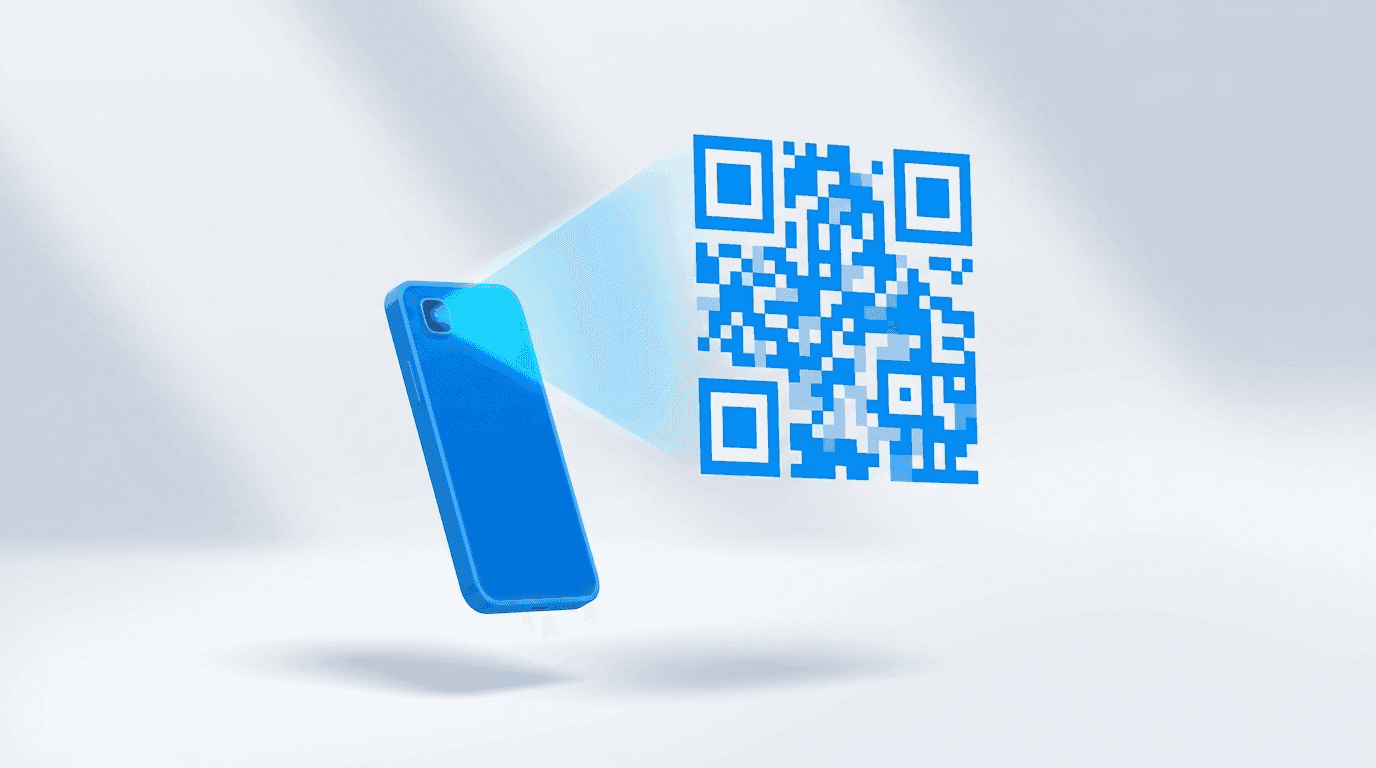
To create a QR code, you enter the data you want to direct to (link, phone, text) into a QR generator; the tool turns it into a scannable square, and you download and use it.
Short answer: Three things are all you need to create a QR code: (1) decide on the data you'll encode (a web link, a phone number, plain text, Wi-Fi details or a wa.me WhatsApp link), (2) paste that data into a QR code generator and generate the square, (3) download the code in high resolution (PNG/SVG). A static QR code never expires, and the data inside it is permanently embedded in the square; it can't be changed later. A practical print rule: scanning distance (cm) ÷ 10 ≈ minimum QR side length (cm). So a code that will be scanned from 100 cm away should be at least ~10 cm. To try it right away, use the tool below.
A QR code (Quick Response code) is a two-dimensional matrix code that a phone camera reads in seconds. Menus, business cards, product labels, posters, invoices, shipping boxes, shop windows, Instagram bios... today, the QR code is the shortest way to pass on a piece of information "in one tap". The good news: set up correctly, it costs nothing and never expires. The bad news: thousands of QR codes get printed that never scan because of the wrong size, low contrast or a slow-loading landing page. In this guide I'll explain from the field what a QR code is, how it's created and how to set it up for each type of data — with numerical examples — and where it makes money in e-commerce.
Free ToolQR Code Generator
1. İçeriği Belirleyin
2. QR Kodunu Tasarlayın
Renk Seçimi
Kod Rengi
Arka Plan
Logo Görseli Ekle
3. Boyut ve Format
Düşük450 × 450 pxYüksek
Canlı Önizleme
QR kodu telefonunuzun kamerasıyla test edip okunduğundan emin olun.
Oluşturduğunuz QR kod statiktir ve süresiz geçerlidir; indirip dilediğiniz yerde kullanabilirsiniz. Logo eklendiğinde kod, okunabilirliği koruması için yüksek hata düzeltme seviyesinde üretilir.
A QR code is a matrix code made up of small black-and-white squares (modules) that carries a piece of data. While a classic barcode carries a single line of information, a QR code can be read both horizontally and vertically, so it fits much more data. When the camera sees the code, it finds the orientation thanks to the three large squares in the corners (position markers / finder patterns), then reads the modules and decodes the data inside. That's why even when a QR code is upside down, tilted or partly smudged it can often still be read: it has both orientation patterns and an error-correction layer.
Technically, a QR code can grow from 21x21 modules to 177x177 modules depending on its version (version 1 to 40). The more modules, the more data fits, but the code looks visually "denser/busier" and needs better resolution to be read. In practice you don't set the number of modules by hand; if you keep the data short the code stays simple, and if you embed a long link or lots of text the code gets denser. Tip: Use short, clean URLs instead of long, ugly links; the code will be sparser (easier to scan) and your destination will look more trustworthy.
Typical data you can embed in a QR code:
Web link (URL): The most common use. The person scanning goes straight to a site, product page or campaign.
Phone number (tel:): Scanning opens the dial screen with the number ready.
Plain text: Fixed text such as product information, a batch number or a warranty note.
Wi-Fi: SSID + password + encryption type; the person scanning connects to the network without typing the password.
WhatsApp (wa.me): A link in the format https://wa.me/905XXXXXXXXX opens a WhatsApp chat with you when scanned; it can even come with a prefilled message.
Email / SMS / vCard business card / location: Less commonly used, but embedded with the same logic.
Anatomy of a QR Code: What Does Each Part Do?
If you know what makes a QR code "readable", you can also work out why it won't scan. Here are the basic parts:
Part
Its job
What happens if it's damaged?
Position markers (3 large corner squares)
Show the camera the code's orientation and boundaries
If a corner square is covered, the code won't read at all
Quiet zone
The white border around the code; lets the camera see where the code ends
If it's cropped, most cameras can't pick out the code
Alignment patterns
Correct the reading on tilted/curved surfaces
If missing, scanning at an angle struggles
Data modules
Carry the actual information (link/text)
If heavily damaged, error correction kicks in
Error-correction layer
Allows reading even if part of the code is damaged
If the level is low, even a small smudge breaks the code
What Is the Difference Between a Static and a Dynamic QR Code?
This distinction is the most critical decision to make before printing a QR code. Most businesses that confuse the two either pay for an unnecessary subscription or print, thousands of times over, a code they can't change.
Feature
Static QR
Dynamic QR
Where is the data?
Embedded directly in the square
The square points to an intermediate link; the real destination is held on a server
Can the destination change later?
No, fixed
Yes, changed without reprinting the code
Duration / subscription
Never expires, free
Usually requires a monthly/yearly subscription
Scan statistics
None (if you add UTM to the link, you see it in GA)
Yes (how many scans, from where, when)
Dependency risk
None; not tied to anyone
If the service shuts down or payment lapses, the code dies
Ideal use
Fixed link, menu, Wi-Fi, business card, packaging
Posters whose campaign destination changes often, boards that need measurement
My practical advice: if your destination won't change for a long time (for example "instagram.com/yourbrand" or your website's homepage), a static QR is enough — and it's free and never expires. It's only worth paying for a dynamic QR for constantly changing campaigns or when you need detailed scan analytics. Even with a static code, if you want measurement you can add tags like ?utm_source=qr&utm_medium=print to the link and see the traffic in Google Analytics.
Tip — a warning from the field: On some "free" QR sites, the code you generate is actually secretly dynamic; that is, it goes to their intermediate link instead of your site. If that service shuts down or forces you onto a paid plan, all your printed codes may suddenly stop working. If you want a permanent code that isn't tied to anyone, make sure the code really is static (with your link embedded directly). Scan the generated code and check whether the address that comes out of it is your own link.
How Do You Create a QR Code? Step by Step
The logic of creating a QR code is: choose the data → turn it into a square → download at the right size → print with contrast → scan and test. In order:
Decide on the data type. A link, a phone number, Wi-Fi, wa.me? The data type determines what gets written into the code. Since links are the most used, I'll base the examples below on a link.
Prepare the destination address and run it through a mobile test. If the page the QR code opens doesn't load on a phone within 2–3 seconds, the code is pointless. Open the link on your phone first and see how fast it is.
Paste the data into the QR code generator. When you paste the link/number into the QR code generator tool above, the square is generated instantly.
Choose the error-correction level. There are L (7%), M (15%), Q (25%) and H (30%) levels. The percentage shows how much of the code can be damaged while it still reads. For packaging/outdoors, Q or H is recommended; if you're putting a logo in the middle, H is a must.
Download in the right format. For screen/digital use, PNG is enough; for print (posters, signs, packaging), definitely download a vector SVG/PDF so it doesn't blur when enlarged.
Set the size and the quiet zone. Leave an empty white border at least 4 modules wide on all four sides of the code; without it, cameras can't pick out the code.
Test with at least 3 different phones. Scan with old/new, iOS/Android devices BEFORE printing. Once it's printed, a mistake can't be corrected.
QR Code Creation Checklist (Before Printing)
Tick off this list item by item before sending to print; it's the checklist that saves the day most often in the field:
☐ The destination link is spelled correctly, includes https:// and opens on a phone in 2–3 seconds.
☐ The destination page looks right on mobile (the desktop design isn't broken on a phone).
☐ UTM has been added to the link for measurement (if needed).
☐ The error-correction level suits the use (indoor M, outdoor/packaging Q–H, with a logo H).
☐ The code has been downloaded as vector (SVG/PDF) (for print).
☐ The size has been calculated with the distance/10 rule, plus a safety margin.
☐ There is 4 modules of white space (quiet zone) around it.
☐ The dark code + light background contrast has been preserved.
☐ Tested with at least 3 different phones (iOS + Android), in bright and dim light.
☐ If a logo has been added, it's at most 20–25% of the code and the level is H.
How Do You Calculate QR Code Size? (Formula)
The field rule is simple: the further away the code will be scanned from, the bigger it should be. The generally accepted ratio is 10:1, meaning one-tenth of the reading distance is the minimum side length:
Minimum QR side (cm) = Scanning distance (cm) ÷ 10
This isn't a guarantee that "it reads in every condition"; it's a safe lower limit. As light, camera quality and contrast drop, make it a little bigger. The table below shows typical scenarios:
Where it's used
Scanning distance
Recommended min. QR side
Product label / business card
~10-15 cm
~1.5-2 cm
Table menu / brochure
~30 cm
~3 cm
Shipping box / packaging box
~40 cm
~4 cm
Shop window / poster
~100 cm
~10 cm
Wall poster / street-side ad panel
~300 cm
~30 cm
Building facade / billboard
~10 m (1,000 cm)
~100 cm
Tip — print resolution: After calculating the size, think about resolution too. Professional printing uses the 300 DPI standard. For example, for a 3 cm code an image about 3 cm × (300 DPI ÷ 2.54) ≈ 354 pixels wide is enough; but if you download a vector SVG you won't have to worry about DPI — it comes out sharp at any size. That's why you should always prefer a vector format for print.
What Goes Inside the Code for Each Data Type?
So you can answer the tool's "what kind of data" question correctly, here are the raw text formats embedded in the code:
Data type
Format written into the code
Example
Web link
Full URL (including https://)
https://alisdijital.com
Phone
tel: + number
tel:+905XXXXXXXXX
WhatsApp
wa.me link (+ optional message)
https://wa.me/905XXXXXXXXX?text=Hello
Wi-Fi
WIFI:T:WPA;S:SSIDName;P:Password;;
WIFI:T:WPA;S:CafeWifi;P:1234abcd;;
Plain text
The text itself
Batch No: 2026-TR-0042
Email
mailto: + address
mailto:reklam@alisdijital.com
SMS
SMSTO: + number + message
SMSTO:+905XXXXXXXXX:Info
You can also prepare the WhatsApp link separately, and even build it automatically with the country code + a prefilled message. To do that, use the WhatsApp link generator tool below; copy the wa.me link it produces, paste it into the QR code generator above, and you'll get a square that opens a WhatsApp chat directly when scanned. For a step-by-step walkthrough, you can also read our how to create a WhatsApp link guide.
Step-by-Step Numerical Example: A Campaign QR Code for a Shop Window
Let's say you run a café/shop and you're going to stick a "go to the menu/site" QR code on your shop window. People will scan this code from an average distance of 1 metre (100 cm), from outside, in daylight. Let's work it out step by step:
Data: The destination link is https://alisdijital.com/menu?utm_source=qr&utm_medium=window. We added UTM so we can see in Google Analytics how many people came from the shop-window QR code.
Size calculation: The scanning distance is 100 cm. Formula: 100 ÷ 10 = 10 cm minimum side. Shop-window glass reflects and outdoor light is tricky; with a safety margin, we decide to print at 12 cm.
Quiet zone: A 4-module white border. On a 12 cm code this means roughly 0.8–1 cm of white space. So the label area to be printed should be at least 14 x 14 cm.
Error correction: Because we'll put a small logo in the middle and it's outdoors, we choose H (30%). Even if the code gets a little scratched or faded by the sun, it will still read.
Format: Since it's a 12 cm print, we download SVG/PDF, not PNG, so it stays sharp when the printer enlarges it.
Contrast: Dark navy code + white background. Instead of transparent glass, we prefer a sticker with a white background so the code doesn't "float in the air" and the camera can catch the contrast.
Test: Before sending to print, we scan the 12 cm code on screen with 3 phones, from 1 metre, in both bright and dim light. If they all open it within 1 second, we give the go-ahead.
As you can see in this example, "creating a QR code" is only 20% of the job; the real work is size, contrast, error correction and testing. People who skip these and print because "I've generated the square" usually end up with codes that don't scan.
Second Numerical Example: A "Leave a Review" Card Inside the Shipping Box
You run an online store, you're going to put a thank-you card in every box, and you want to direct the customer to the product review page. Let's build the scenario with numbers:
Data:https://alisdijital.com/product/xyz?utm_source=qr&utm_medium=box_card. When the customer opens the box, they'll read the card in their hand from 15–25 cm away.
Size: 25 ÷ 10 = 2.5 cm minimum. The card is small, but because it's held in the hand, 2.5 cm reads comfortably. To be safe, we print at 3 cm.
Error correction: Since it'll be read indoors on clean card, M (15%) is enough. If we're not adding a logo, even L would do, but M is a safe middle ground.
Format: Card print → vector PDF.
Conversion maths: Say you ship 1,000 boxes a month. For brands that put a QR code in the box, the typical scan rate is low; in an optimistic scenario, if 5% scan it, 50 people go to the page. If 20% of them leave a review, you gain 10 new product reviews a month. 60 reviews in 6 months means a build-up of social proof that measurably raises your conversion rate. (Rates vary by brand; measure and verify your own figures with UTM.)
The critical point here: to raise the scan rate, write a clear call to action on the card. Saying "Scan" isn't enough; a concrete incentive like "Did you like the product? Leave a review in 30 seconds and get a discount on your next order" raises the scan rate significantly.
Where Does a QR Code Help You in E-Commerce?
A QR code is the cheapest bridge between the online and offline worlds. Where it concretely helps in e-commerce:
Thank-you card inside the shipping box: A QR code saying "Did you like the product? Leave a review / order again". It takes the customer straight to the product or review page and feeds repeat sales (retention).
User guide on the packaging: A QR code instead of a printed manual. The customer who scans it reaches a video/PDF guide; it reduces returns and "how do I use this?" messages.
Physical store → online basket: The QR code of a product on the shelf lets the customer order an out-of-stock colour/size online. It rescues sales that would otherwise slip away from the store.
WhatsApp support on the invoice / e-archive invoice: A customer who scans the wa.me QR code writes to the support line in one tap.
Growing social media: Stands, trade-fair booths, shop windows... you collect followers with a QR code that goes to your Instagram/TikTok profile.
Loyalty / coupon distribution: A QR code for the coupon or campaign page makes the leap from a printed brochure to digital.
Warranty registration / product activation: A customer who scans the QR code that comes with the product opens their warranty registration online, and you collect email/phone data with consent.
Which QR Code Where? Quick Matching Table
Surface / touchpoint
Recommended data
Destination
Shop window
Static URL + UTM
Menu / campaign page
Shipping box card
Static URL + UTM
Product review / repeat order
Invoice / e-archive invoice
wa.me
WhatsApp support line
Trade fair / stand
Static URL
Instagram / catalogue
Café table
Wi-Fi or URL
Free internet / digital menu
Business card
vCard or URL
Save to contacts / portfolio page
Product label
Static URL
How-to video / detail page
The point to underline here: the destination page the QR code opens is where the sale happens. Even if the code is great, if the page is slow, broken on mobile or the product description is weak, conversions won't come. For a fast-on-mobile, clearly described landing page, pay attention to how to write a product description and web and mobile UI/UX design. If you want to measure how much the traffic from QR codes pays back, track advertising return with a ROAS calculation and value per customer with an LTV/CAC analysis.
How Do I Measure Traffic from a QR Code? (How UTM Works)
A static QR code doesn't give you a scan count directly, but if you add UTM tags to the link you can see visitors from that code separately in Google Analytics 4. The UTM parameters are:
Parameter
What goes in it?
Example
utm_source
The source of the traffic
qr
utm_medium
The medium/channel
window, box_card, invoice
utm_campaign
Campaign name
winter_sale_2026
Example full link: https://alisdijital.com/menu?utm_source=qr&utm_medium=window&utm_campaign=winter_sale_2026. If you're putting the same campaign both on the shop window and on the box card, vary the utm_medium; that way you can clearly answer the question "which touchpoint gets scanned more?". Tip: Print a different QR code + a different UTM for each surface, then compare them side by side in GA4 — only then will you see which channel really converts.
If you want to test whether orders from your QR campaign cover your ad spend, calculate the break-even point and target return per product in advance. Starting from your product cost and price, the tool below answers "what ROAS do I need to turn a profit?"; check the figures here once before you get the QR cards printed.
Free ToolBreak-Even ROAS Calculator
Başabaş ROAS Hesaplama
₺
₺
Ürünün size birim alış / üretim maliyeti.
Ek Giderler (komisyon, kargo, KDV, paketleme…)
% giderler satış fiyatı üzerinden hesaplanır. Fiyatı KDV dahil girdiyseniz %20 KDV'nin fiyat içindeki payı %16,67'dir.
Şirket ya da defter tutan bir işletmeyseniz (şahıs şirketi dahil) yurt dışı platformlara (ör. Meta) ödediğiniz reklam bedeli üzerinden stopaj ödersiniz. Ticari faaliyeti olmayan bireysel hesaplarda gerekmez.
16:30
Başabaş ROAS
Hesaplama Sonucu
Soldaki alanları doldurup Hesapla butonuna basın; sonucunuz birkaç saniye içinde burada hazır olsun.
Başabaş ROAS, reklamlarınızın kâra geçmesi için aşması gereken eşiktir. Reklam panelinizdeki gerçek ROAS bu değerin üzerindeyse kârdasınız, altındaysa her satışta zarar edersiniz.
Which E-Commerce Platform Should Power Your QR Code?
A QR code ultimately sends traffic somewhere; that "somewhere" is usually your store. Since QR campaigns need a solid, fast, mobile-first store, it's worth getting your platform choice clear. If you're curious which platform (ikas, Shopify, WooCommerce, etc.) a competitor or a brand that inspires you uses, you can enter its site address in the tool below and detect its platform in seconds:
Free ToolE-Commerce Platform Detector
Platform Detector
🔗
Enter the homepage URL (example.com).
16:30
Platform Detector
Hesaplama Sonucu
Soldaki alanları doldurup Hesapla butonuna basın; sonucunuz birkaç saniye içinde burada hazır olsun.
Detection works from public fingerprints in the page: HTTP headers (e.g. X-Powered-By), CDN domains (cdn.shopify.com, cdn.ikas.com…), generator meta and route paths. Highly accurate on most stores; some platforms hide behind CDNs or reverse proxies and may not be detected.
If you're undecided on your own side, take a look at our ikas or Shopify comparison and our marketplace or my own site article to clarify your platform choice. If you want to see the size of Turkish e-commerce, its mobile share and its conversion dynamics in numbers, download this resource:
E-Book
Turkey
E-Commerce
Report
Free e-book
Turkey E-Commerce Report
Download this guide free, leave your email and get one step ahead in e-commerce.
The classic mistakes I see in the field that turn a code into "rubbish":
Printing it too small: The most common mistake. Putting a 1.5 cm code on a poster and asking "why won't it scan?". Follow the distance/10 rule.
Low contrast / inverted colours: A light code on a light background, or making the code a light colour on a dark background. Cameras expect a dark code on a light background; the reverse gives most phones trouble.
Destroying the quiet zone: Cropping the white space around the code when pasting it into a design. Without the margin, the camera can't tell where the code ends.
Enlarging a PNG until it blurs: Stretching a small PNG onto a poster damages the modules. Use SVG/PDF for print.
A slow or non-mobile-friendly landing page: The code opens, but the page takes 8 seconds to load or the desktop design is broken on a phone. The user closes it. Always test the destination on a phone.
Printing without testing: With a static QR, a mistake can't be undone. It means printing 1,000 boxes with the wrong link and throwing them away. Scan with at least 3 devices before printing.
Wrong link / missing https: Embedding a domain without writing https:// won't open on some readers. For WhatsApp, not writing the number with the country code (90...) breaks the link.
Adding a big logo and lowering error correction: A huge logo in the middle + level L = an unreadable code. If you add a logo, choose H (30%) and keep the logo to at most 20–25% of the code.
Skipping measurement: Even with a static QR, if you don't add UTM to the link you'll never know how many people scanned it. Add UTM and track it in Google Analytics.
Sticking it on the wrong surface: Surfaces such as crumpled bags, shiny/reflective glass or curved bottles distort the code. Choose a flat, matte, stable surface or raise the error correction.
Not adding a call to action (CTA): People don't scan a bare square. Write a clear reason such as "See the menu", "Grab the discount" or "Message us on WhatsApp".
Mistake – Result – Fix Table
Mistake
Result
Fix
Code too small
Won't scan from a distance
Distance ÷ 10 rule + safety margin
Low contrast
Camera can't pick out the code
Dark code + light/white background
Quiet zone cropped
Code won't read
Leave a 4-module white border
PNG stretched
Blurry, won't scan
Use SVG/PDF for print
Slow landing page
The user who opens it leaves
Fast mobile page, test it
Logo too big
Data won't read
Level H + logo ≤ 20-25%
How Do I Diagnose a QR Code That Won't Scan?
If the code won't scan, check in this order:
Scan the digital version on screen — does it open? If it does, the problem is in the print (size/contrast/quiet zone).
If it doesn't open, the data inside is wrong: a typo in the link, missing https, wrong phone format.
If it opens on some phones but not on others, raise the error-correction level (Q/H) and make it bigger.
If the destination opens but the page is blank/slow, the problem isn't the QR code but the speed and mobile compatibility of the landing page.
QR Code Security: What Should You Watch Out For?
As practical as QR codes are, they also raise a security issue, because the user often can't see the link they're scanning in advance. Things to watch out for on both the business and the user side:
Business side: After production, verify by scanning that the code you've printed really goes to your link. Someone malicious could stick their own fake code over the code in your shop window (QR-jacking). Check your stickers from time to time and, if possible, use lamination that makes tampering harder.
User side: Phones generally show the destination link before opening it. Be careful with unfamiliar, shortened or oddly suffixed links; think twice about QR codes that ask for bank/payment details.
Destination transparency: For user trust, write next to the QR code where it goes, such as "Go to the menu" or "WhatsApp support line". Transparency also increases the scan rate.
Tip: With static QR codes, because the link is embedded directly, the user can see the destination before opening it; in terms of trust, this is an advantage over dynamic codes (with their hidden intermediate link).
Summary and Next Step
Technically, creating a QR code is a 30-second job: choose the data, turn it into a square, download it. But producing a QR code that actually works takes the right size (distance/10), high contrast, enough error correction, vector printing, a fast mobile landing page and testing before printing. Make the static QR your default choice because it never expires and is free; switch to a dynamic QR only for constantly changing campaigns. To generate your code right away, use the QR code generator tool above; to embed your WhatsApp line in the code, use the WhatsApp link generator. If you'd like to do your other e-commerce calculations in one place too, take a look at all our free tools.
Three rules to remember: (1) distance ÷ 10 = minimum size, (2) dark code + light background + quiet zone, (3) test with 3 phones before printing. Apply these three every time and you'll largely put an end to QR codes that won't scan.
So does the page the QR code opens turn into sales? This is where the real payoff is. Without a fast mobile, conversion-focused landing page, the right product description and a setup that measures the traffic coming from QR codes, even the best-looking code is printed in vain. At Alis Digital we build the whole chain, from the store setup that powers QR campaigns (ikas / Shopify) to mobile-first UI/UX design and the e-commerce consulting that grows results. To turn your online-offline bridge into profit, get in touch with us.
Sıkça Sorulan Sorular
QR kod oluşturmak ücretsiz mi?
Evet. Statik QR kod oluşturmak tamamen ücretsizdir ve süresi dolmaz; veriyi (link, telefon, Wi-Fi, wa.me) kareye dönüştürüp indirmen yeterli. Ücret sadece dinamik QR'larda (hedefi sonradan değiştirebilen, tarama istatistiği veren) söz konusu olur ve genelde aylık/yıllık aboneliktir. Çoğu işletme için statik QR fazlasıyla yeterlidir.
Statik QR kodun süresi dolar mı?
Hayır. Statik QR kodun verisi doğrudan karenin içine gömülüdür, herhangi bir sunucuya bağlı değildir; dolayısıyla süresizdir ve sen istemedikçe çalışmayı bırakmaz. 'Süresi doldu' uyarısı veren kodlar dinamik QR'lardır: kare bir ara-linke gider ve o aboneliğin süresi biterse kod ölür. Kalıcı bir kod istiyorsan statik QR kullan.
QR kod ne kadar büyük olmalı?
Saha kuralı 10:1'dir: minimum QR kenar uzunluğu (cm) ≈ tarama mesafesi (cm) ÷ 10. Yani 1 metreden (100 cm) taranacak bir vitrin kodu en az ~10 cm, 30 cm'den okunan bir menü kodu ~3 cm olmalı. Dış mekân, yansıma ve loş ışıkta güvenlik payı bırakıp biraz daha büyük bas. Ayrıca kodun çevresinde 4 modül genişliğinde beyaz boşluk (quiet zone) bırakmayı unutma.
QR kodun içine logo koyabilir miyim?
Evet, ortaya küçük bir logo konabilir çünkü QR kodlar hata düzeltme (error correction) içerir. Ancak logo koyacaksan hata düzeltme seviyesini H (%30) seç ve logoyu kodun en fazla %20-25'ini kaplayacak şekilde küçük tut. Logo çok büyük olur ve seviye düşük (L) kalırsa kod okunmaz hale gelir. Logoyu ekledikten sonra mutlaka birkaç telefonla test et.
QR kodu hangi formatta indirmeliyim: PNG mi SVG mi?
Dijital/ekran kullanımı (web, e-posta, sosyal medya) için PNG yeterlidir. Baskı (afiş, tabela, ambalaj, koli) için ise vektörel SVG veya PDF indir; bu formatlar büyütüldüğünde bulanıklaşmaz, modüller keskin kalır. Küçük bir PNG'yi büyük bir afişe esnetmek modülleri bozar ve kodu taranmaz hale getirir.
WhatsApp QR kodu nasıl oluşturulur?
Önce wa.me linkini hazırla: https://wa.me/905XXXXXXXXX biçiminde, ülke kodu (90) dahil numaranı yaz. İstersen ?text=Merhaba ekleyerek hazır mesaj da gömebilirsin. Sonra bu linki bir QR kod oluşturucuya yapıştırıp kareye dönüştür. Tarayan kişi tek dokunuşla seninle WhatsApp sohbeti açar. wa.me linkini kolayca kurmak için WhatsApp link oluşturma aracını kullanabilirsin.
QR kodu nasıl test ederim?
Baskıya göndermeden ÖNCE test et, çünkü statik QR'da hata geri alınamaz. Kodu farklı en az 3 telefonla (iOS ve Android, eski ve yeni cihaz) tara; hem aydınlık hem loş ortamda dene. Hedef sayfa 1-3 saniyede açılmalı ve mobilde düzgün görünmeli. Önce ekrandaki dijital halini, sonra gerçek baskı boyutunda test et.
QR kod taranmıyorsa sorun ne olabilir?
En sık nedenler: kod çok küçük basılmış (mesafe/10 kuralına uyulmamış), kontrast düşük (açık zemine açık kod ya da renkler ters), çevresindeki beyaz boşluk (quiet zone) kırpılmış, PNG büyütülüp bulanıklaşmış, ya da içindeki link yanlış/eksik https. Önce ekrandaki dijital halini tara: açılıyorsa sorun baskıdadır, açılmıyorsa içindeki veri hatalıdır.
Statik QR kodun kaç kez tarandığını ölçebilir miyim?
Doğrudan statik QR tarama sayısı vermez, ama gömdüğün linke UTM etiketi eklersen (örneğin ?utm_source=qr&utm_medium=vitrin) Google Analytics üzerinden o koddan gelen ziyaretçileri görebilirsin. Detaylı, anlık tarama istatistiği (kaç tarama, nerede, ne zaman) gerekiyorsa dinamik QR kullanman gerekir; o da abonelik ister.
QR koddan gelen trafiği satışa nasıl çeviririm?
QR kodun açtığı hedef sayfa satışın gerçekleştiği yerdir. Sayfa mobil-hızlı (2-3 saniyede açılan), net ürün anlatımlı ve kolay sepete-ekle akışına sahip olmalı. Yavaş veya mobilde bozuk bir sayfa, en iyi QR kampanyasını bile boşa çıkarır. Mobil-öncelikli UI/UX tasarımı, güçlü ürün açıklaması ve QR trafiğini ROAS/LTV ile ölçmek dönüşümü belirler.
QR kod güvenli mi, sahte kod riski var mı?
QR kodun kendisi nötrdür; risk taranan linkin nereye gittiğindedir. İşletme olarak kendi bastığın kodu üretimden sonra okutarak doğrula ve vitrindeki sticker'ların üzerine sahte kod yapıştırılmadığını ara ara kontrol et. Kullanıcı olarak çoğu telefon taramadan önce hedef linki gösterir; tanımadığın ya da ödeme/banka bilgisi isteyen QR'lara şüpheyle yaklaş. Statik QR'da link doğrudan göründüğü için güven açısından avantajlıdır.
QR kod ile barkod arasındaki fark nedir?
Klasik barkod tek boyutludur ve yalnızca yatay çizgilerle az miktarda veri (genelde bir ürün numarası) taşır; özel barkod okuyucu ister. QR kod ise iki boyutludur, hem yatay hem dikey okunur, çok daha fazla veri (link, metin, Wi-Fi, wa.me) sığdırır ve sıradan bir telefon kamerasıyla okunabilir. Ayrıca QR kodda hata düzeltme katmanı vardır; kısmen zarar görse bile okunabilir.